
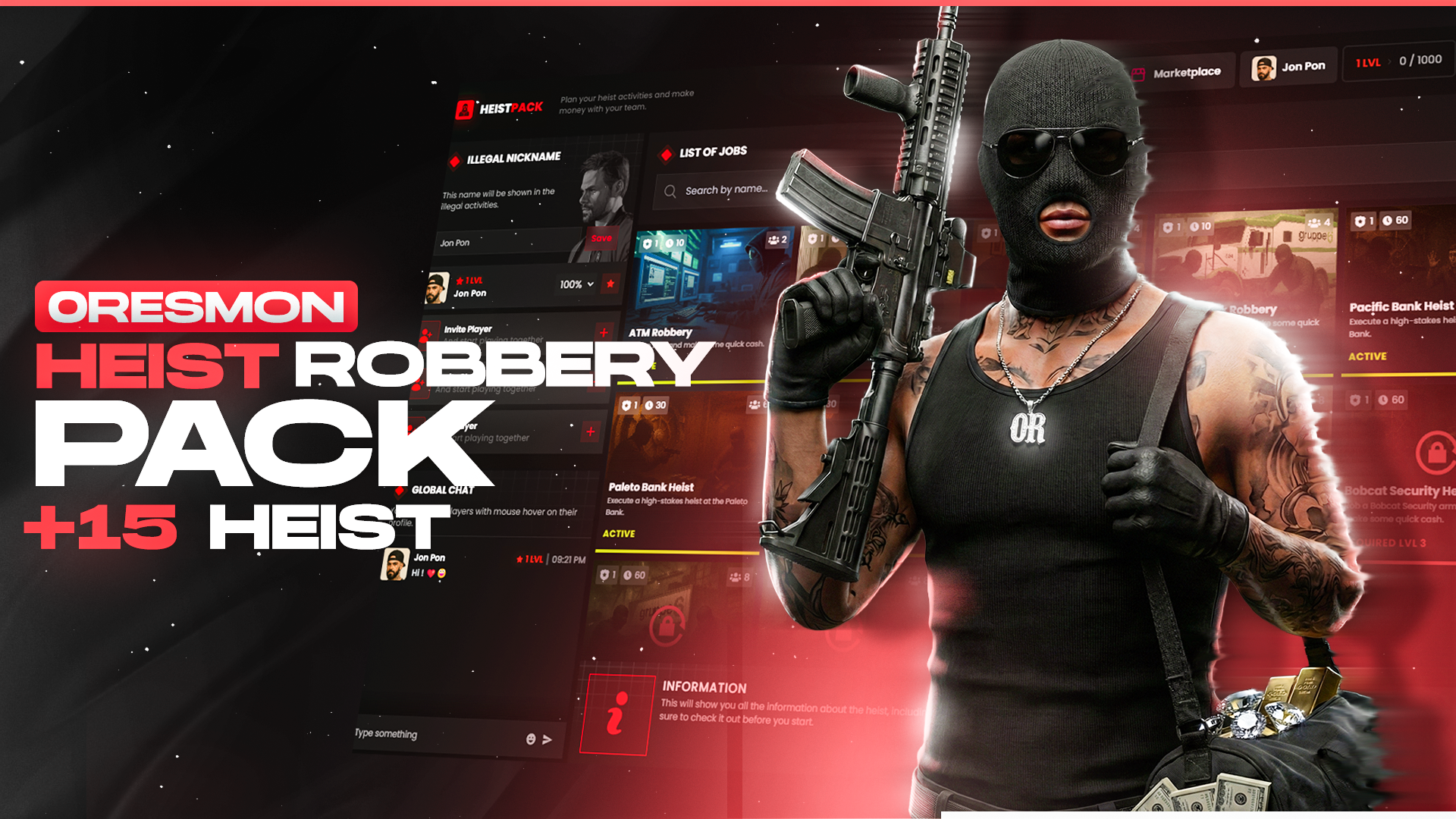
0R-Multiplayer Heist Robbery Pack (15 Robbery) Escrow | 0r
 ESX
ESX
 QBCore
 QBox
QBox
€70.00

Big Discount Started
The 40% discount is now valid on all scripts.
Code
RES40
0
Days
0
HRS
0
MINS
0
SECS

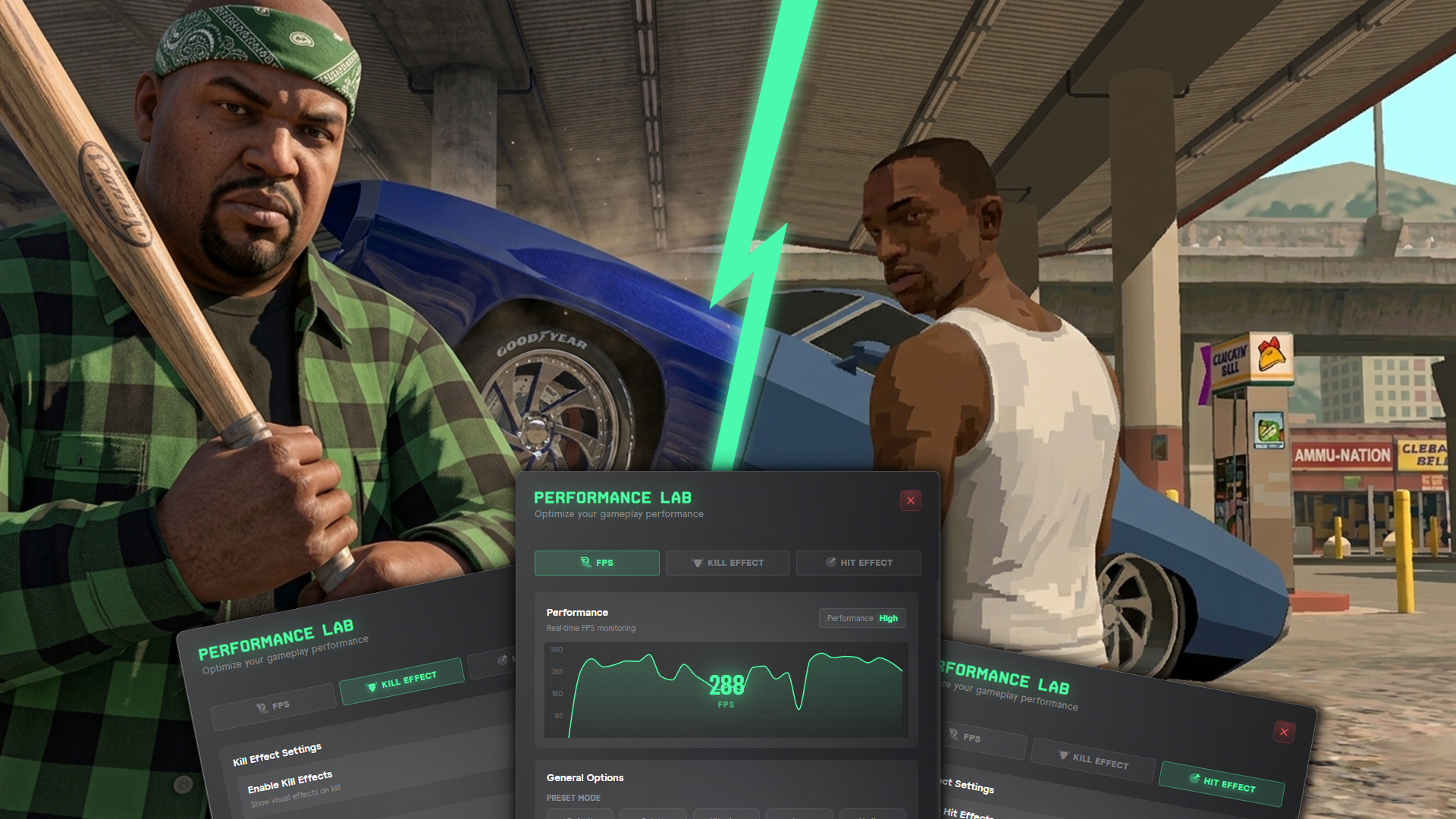
S4-FPSMENU — FiveM FPS Boost & Kill/Hit Effect System
ESX
QBCore
QBox
€30.00
€42.86 -30%Performance certified by stress tests
7/24 Always-on customer support
Documentation
Package Type | Escrow, Open Source
Description
Give your players full control over their performance settings directly from
within the game. s4-fpsmenu combines an FPS boost menu, customizable kill
effects, and hit effects in a single resource. All settings are saved per-player
on the server side and automatically restored on reconnect.
--------------------------------------------------------------------------------
GENERAL FEATURES
--------------------------------------------------------------------------------
• Standalone — no framework required (works with QBCore, ESX, or any other)
• Server-side save system — players never lose their settings
• Individual profile per player, auto-loaded on reconnect
• Two separate menus: FPS menu (F7) and Effects menu (F6) — both use
fully configurable keybinds
• Each menu can be independently enabled or disabled (server owner control)
• 11 built-in languages: English, Turkish, German, French, Spanish,
Portuguese, Italian, Russian, Arabic, Greek, Polish
• Custom language support — copy any file in locales/ and translate it
• ox_lib notifications for instant player feedback (can be silenced)
• Auto-save when the menu is closed
--------------------------------------------------------------------------------
FPS BOOST MENU (F7)
--------------------------------------------------------------------------------
LIVE FPS CHART
• Real-time FPS graph displayed at the top of the menu
• Tracks the last 30 readings, updated every 500 ms
• Current FPS shown as a large, easy-to-read number
PERFORMANCE PRESETS
• Default — Resets all optimizations and restores the original look
• Potato — Maximum FPS, minimum visuals. Shadows off, weather locked to
CLEAR, particles/decals/distant vehicles disabled
• Ultra Low — Similar to Potato but slightly less aggressive
• Low — Timecycle applied, shadows off, entity cleanup active
• Medium — Light optimization only, shadow distance 3.0, no timecycle change
MANUAL SLIDERS
• Shadow Quality — 0 (fully off) to 10
• Texture Detail — 0.0 – 1.0, object LOD multiplier
• Resolution Scale — 0.2 – 0.9, building/map LOD quality
• Character Quality — 0.0 – 1.0, distant ped detail
• Vehicle Distance — 18 – 500 metres, hides vehicles beyond this range
TOGGLES
• Auto Cleanup — Every 500 ms: clears broken glass, decals, and particles
• Light Reflections — Can be disabled to gain FPS
• Rain & Wind — When off, rain level and wind speed are forced to 0
• Blood Stains — When off, blood is cleared from all nearby peds every 500 ms
• Fire Effects — When off, all fires within 500 m are extinguished every frame
--------------------------------------------------------------------------------
KILL EFFECT MENU (F6)
--------------------------------------------------------------------------------
KILL DETECTION SYSTEM
• Triggers when you kill another ped
• Dual detection: CEventNetworkEntityDamage event listener +
a 100 ms fallback loop — no kill is ever missed
• Vehicle kills fully supported (when in the driver seat)
KILL STYLE OPTIONS (both can be active simultaneously)
• Marker — A 3D crosshair above the victim's head that floats upward and
fades after the configured duration. Color is fully customizable.
• Screen — Full-screen post-process effect via GTA V's built-in AnimPostFX
system. Auto-stops after 1 second.
SCREEN EFFECTS
• 39 screen effects to choose from (Death Fail, Rampage, Chop Vision,
DMT Flight, Heist Locate, and more)
• Selecting an effect plays a 1.5-second live preview
• First 15 shown by default; click "Show All" to reveal the rest
KILL COLOR PICKER
• 7 preset colors for the marker: Red, Orange, Yellow, Green, Blue, Pink, White
KILL SOUNDS
• 18 sound options (ks1 – ks18)
• Auto-preview when a sound is selected
• Volume slider: 0 – 100
• Server owner can cap maximum volume via Config
--------------------------------------------------------------------------------
HIT EFFECT MENU (F6)
--------------------------------------------------------------------------------
HIT DETECTION SYSTEM
• Triggers on non-lethal hits dealt to a ped
HIT STYLE OPTIONS
• Particle Effect — Customizable GTA V particle spawned at the impact point
• Screen Effect — Choose from the same 39-effect list as kill effects
PARTICLE SYSTEM
• Multiple particle dictionary & name combinations
• Adjustable particle scale
• Particle and screen effect durations configurable via Config
HIT COLOR PICKER
• 7 preset colors
HIT SOUNDS
• 18 sound options (hit1 – hit18)
• Auto-preview on selection
• Volume slider: 0 – 100
• Server owner can cap maximum volume via Config
--------------------------------------------------------------------------------
SERVER OWNER CONTROL PANEL
--------------------------------------------------------------------------------
• Enable or fully disable the FPS menu and Effects menu independently
• Set default settings for all new players via Config.Defaults
• Customize LOD scale and entity cleanup distances per preset
• Configure kill/hit marker duration, float speed, and size
• Cap maximum kill and hit sound volume server-wide
• Change menu open/close keybinds
• Optional debug mode for console logging during development
--------------------------------------------------------------------------------
DEPENDENCIES
--------------------------------------------------------------------------------
• ox_lib (for notifications and UI components)
================================================================================
All settings are managed through a single config.lua file.
Player data is stored safely server-side and is never lost on reconnect.
================================================================================
| preview | https://www.youtube.com/watch?v=p2wDGVRXdek&pp=ygUHMHJlc21vbg%3D%3D |
| script-open | frkn-weaponskin-open |
| script-escrow | frkn-weaponskin-escrow |
| img_link | https://dunb17ur4ymx4.cloudfront.net/packages/images/acc7ee149f1f9434336c4a97cc07113b0b925c4c.png |
Trusted by thousands of customers with over 42,000+ successful sales worldwide.
Average
4.8
Based on 10.000+ reviews
Real feedback from our community after installing and using our FiveM resources.
ESX
QBCore
QBox
€70.00
ESX
QBCore
QBox
€30.00
ESX
QBCore
QBox
€60.00
![WAIS HUD V6 Customizable - Positionable Map-Dynamic Elements-Car Control [STANDALONE ESCROW] | wais](https://dunb17ur4ymx4.cloudfront.net/packages/images/75e201dc6274db15d32f3e4fb6cd50f12b2cf040.png)
ESX
QBCore
QBox
€42.00
ESX
QBCore
QBox
€35.00
ESX
QBCore
QBox
€35.00
![JOBPACK +20 JOB ~ [MULTIPLAYER / SOLO] - [ESCROW] | wais](https://dunb17ur4ymx4.cloudfront.net/packages/images/62dbc0905b6080cb0f3b82e32ba3bbba50f750a0.png)
ESX
QBCore
QBox
€45.00
ESX
QBCore
QBox
€60.00

Moldova_RP
Today 23:06
133.88EUR

SevrinMiguel
Today 22:35
54.45EUR

RyderMikaelson
Today 22:02
73.50EUR

SaltoQC
Today 21:32
42.00CAD

Warham20
Today 20:21
19.49EUR
| video_link | https://www.youtube.com/watch?v=LDi63eVRS0s |
| video_name | Fivem Multiplayer Hunting Script | GROUP SYSTEM | LEVEL XP BASED | +15 MISSONS | FULL SYNC |
| video_link | https://www.youtube.com/watch?v=G3s4IyYNP1M |
| video_name | FiveM Nail Studio Script (36 Colors, 4 Types, 11 Patterns) | 0R-Nails + Custom Map |
| video_link | https://www.youtube.com/watch?v=Sk7nI5nt26k |
| video_name | Fivem Multiplayer Pirate Ship Heist Script - Custom Ship - Minigames - Interactions [ESX/QB/QBOX] |
| video_link | https://www.youtube.com/watch?v=GKOI-N5vfAs |
| video_name | FiveM Multiplayer Towtruck Script - Custom-Built Towtruck Vehicle & (NPC and Real Player Mission) |
Discord is great for playing games and chilling with friends, or even building a worldwide community. Customize your own space to talk, play, and hang out.
By clicking subscribe you accept our privacy statement. Discount code is for new subscribers only.
